One operating record for each instrument site
The Microsensor Viewer organises mFL-12 and mHR-2 measurements by site, deployment, and experiment, preserving the sequence across a monitoring period
Measurements and records available in the Viewer
The Viewer retains raw optical records beside derived quantities and their quality-control history. A selected experiment or date range can be exported for analysis outside the platform.
Water-quality metrics
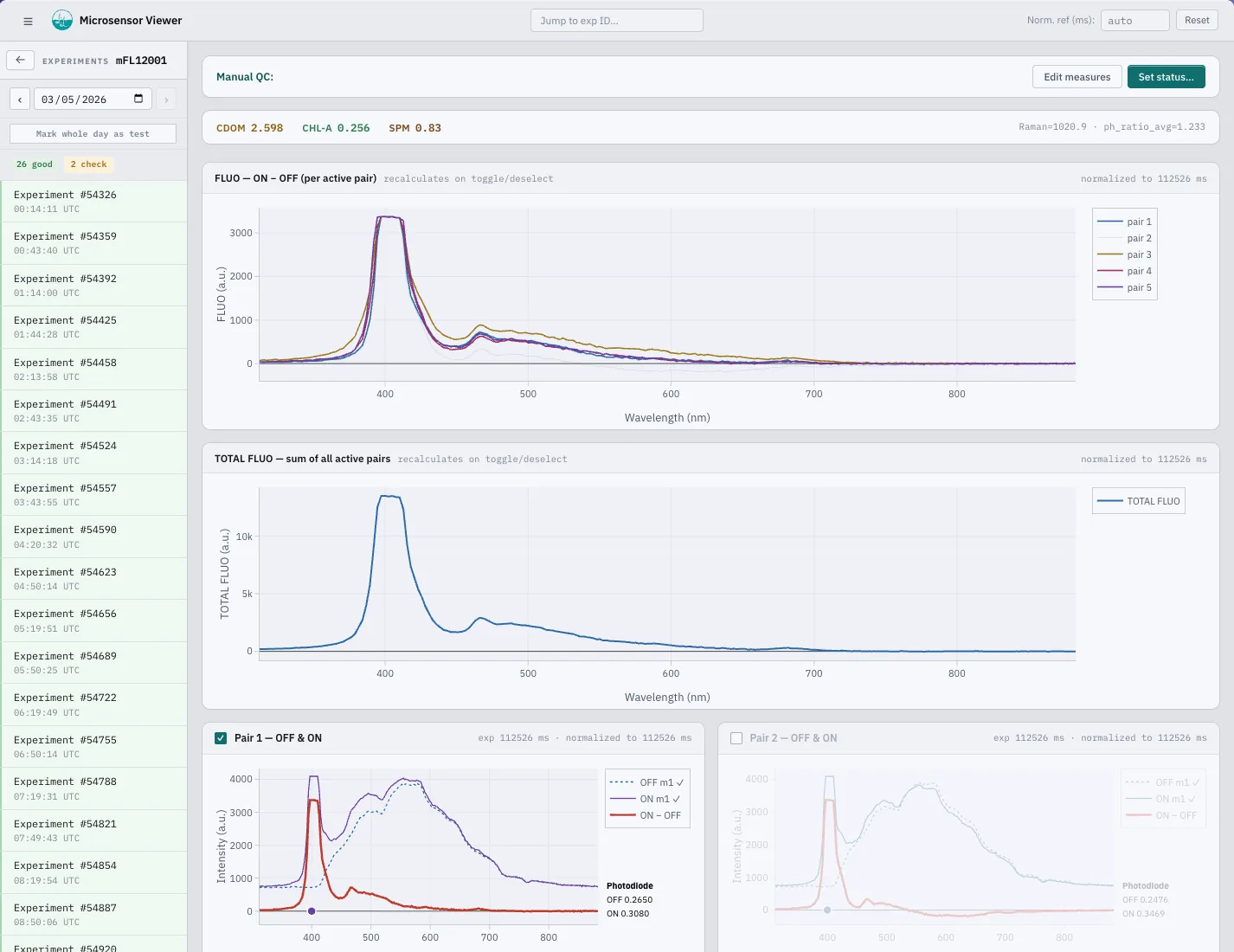
CDOM, chlorophyll-a, and suspended matter estimates associated with each mFL-12 experiment
Optical water types
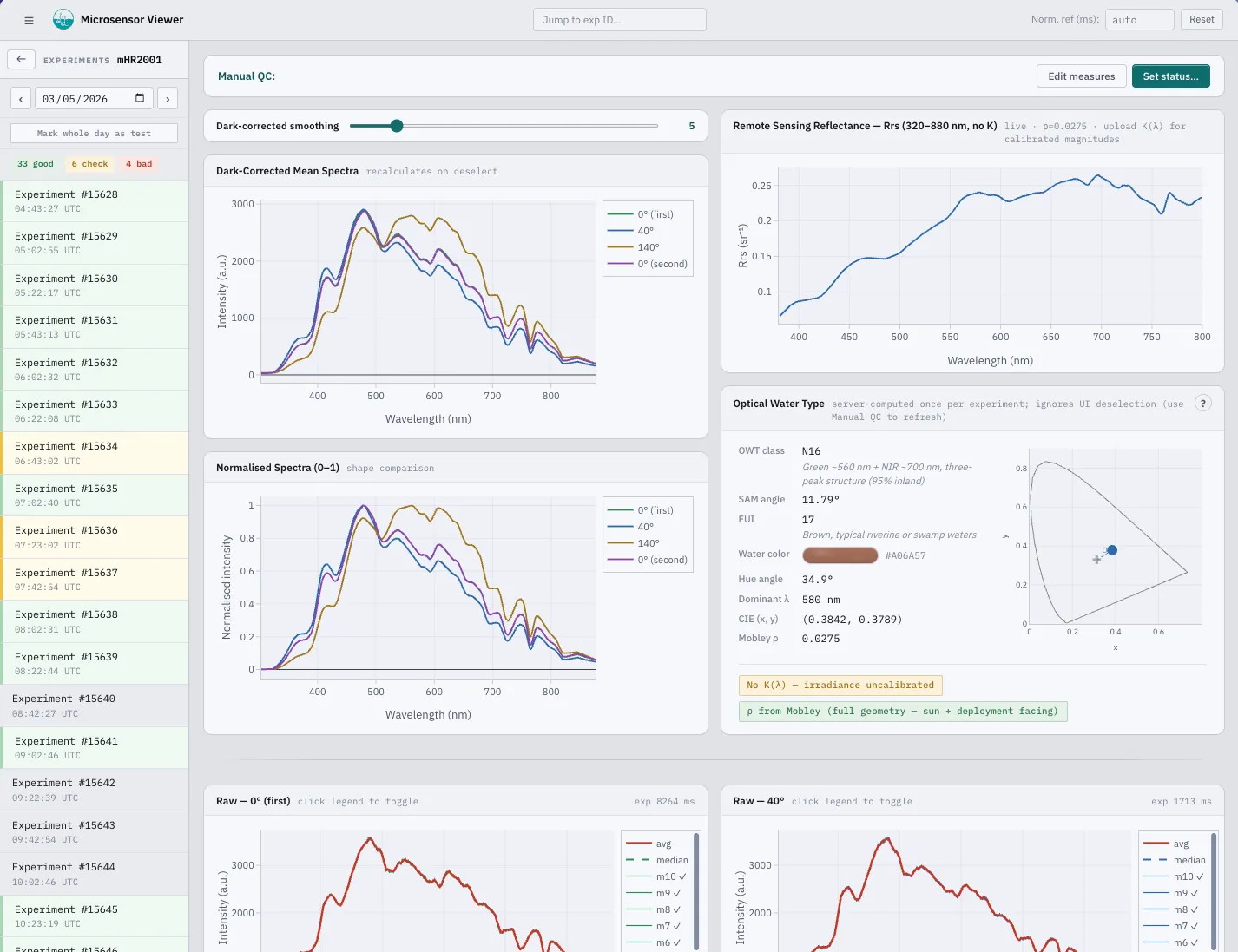
Dark-corrected mHR-2 radiometry classified into optical water-type series
Quality control
Validation states, manual decisions, and subsequent checks retained with the measurement record
Solar context
Refraction-corrected solar position stored with each measurement to document illumination conditions
Analytics
Daily summaries by device for reviewing changes across a deployment without opening each raw file
Export
NetCDF export for a selected experiment or date range, retaining its quality-control state
Examples from the operating console
These views come from the operating console. One shows the mFL-12 fluorescence lidar at Parentis Lake; the other shows the mHR-2 radiometer at Ambès.
Customer account access
A customer account is created when an instrument is delivered or can be issued on request. The account provides access to its assigned sites, measurements, quality-control records, and data exports.
- AccountCredentials are supplied with an instrument delivery or issued by the team on request
- AccessThe account opens its assigned sites and measurement records at viewer.lifelidar.com
- ExportSelected experiments and date ranges can be exported as NetCDF with the quality-control state retained